
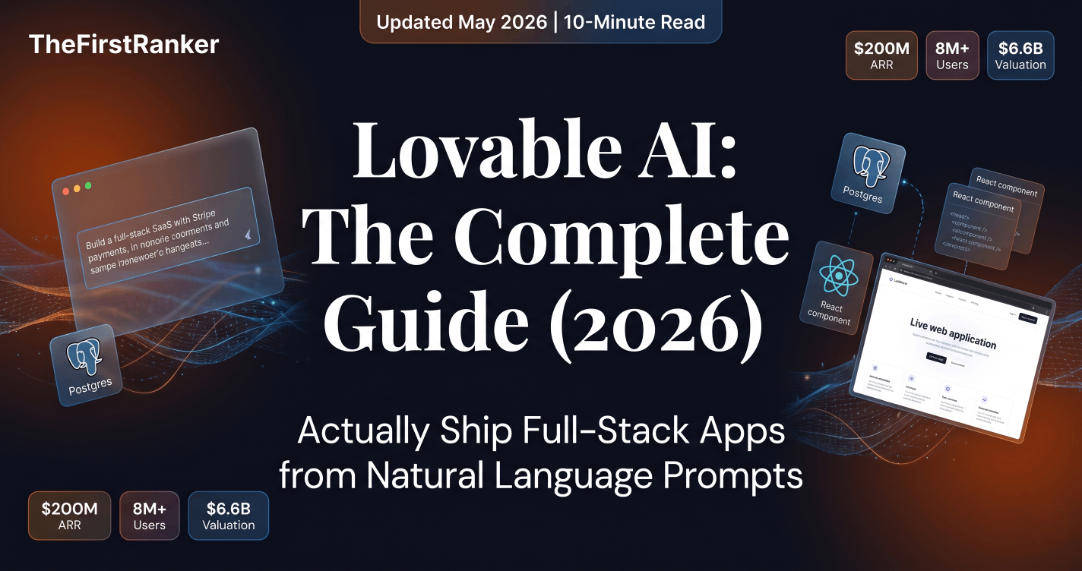

Lovable AI: The Complete Guide for People Who Want to Actually Ship Something
Everything you need to know — how it works, what it costs, the hacks that save hundreds of credits, which competitors actually beat it, and what $200M ARR in 12 months tells you about where software is going.
In This Guide
- What Is Lovable AI, Really?
- How It Actually Works (The Pipeline)
- Full Feature Breakdown
- Pricing, Credits & the Real Cost
- 10 Hacks That Experts Actually Use
- Every Use Case — Beginner to Advanced
- Lovable vs. Bolt vs. Cursor vs. Bubble (Honest Take)
- What Real Users Are Saying
- The Security Problem Nobody Talks About
- Where Lovable Is Headed
- FAQ
You have an idea. Maybe it’s been sitting in a notes app for six months. Maybe you pitched it once and someone said “you need a developer.” Maybe you’re a developer yourself but you’re tired of writing the same auth boilerplate for the fourteenth time.
Lovable AI exists to make the “build it” part stop being the bottleneck. And based on the numbers — $200M in annual recurring revenue, 8 million users, a $6.6 billion valuation, all in under 18 months — it’s doing exactly that for a lot of people.
But the internet’s coverage of Lovable AI is mostly either breathless hype or one-liner tool roundups. Nobody’s actually explaining the credit system that can drain your budget on a bad week, the security incidents that have exposed real users’ data, or the prompting techniques that cut build time by 60%.
This guide does all of that. Read it in order if you’re new. Jump to what you need if you’re not.
What Is Lovable AI, Really?
Let’s start with the honest version, not the marketing version.
Lovable AI (at lovable.dev) is a platform that lets you describe an app in plain language and receive a working, deployable web application. Not a mockup. Not a prototype you have to hand off to a developer. A real, live, production-ready app with React on the front end, a Postgres database, user authentication, and integrations like Stripe payments — built from a text prompt.
That’s the headline. Here’s the nuance:
Lovable doesn’t write code in a single pass. It runs an AI agent that reads your prompt, scaffolds the structure, generates the components, runs a security scan, validates the output, and produces a project you actually own. You can push it to GitHub. You can keep editing it in Lovable or take it to any other IDE. There’s no lock-in format.
The company is Swedish. The mission, per Osika: “the last piece of software that anyone has to write.” They call their category “vibe coding” — you describe the vibe of what you want, and the AI figures out the engineering.
How It Actually Works (The Pipeline)
This is the part most articles skip. They say “type a prompt, get an app.” That’s accurate but useless. Here’s what’s actually happening when you hit send:
You Write a Prompt (or use Plan Mode)
In Plan/Chat Mode: no code is generated. You and the AI align on architecture, features, and scope. This costs 1 flat credit and saves you 10x that on generation mistakes downstream.
The Agent Reads Your Codebase + Knowledge Base
Lovable’s agent reviews any existing project files, your Knowledge Base document (your brand rules + project context), and the prompt. It identifies what needs to be created, modified, or left alone.
Multi-Model Routing Fires
The prompt gets routed to the optimal model — currently Gemini 3 Flash as the default, with Claude Sonnet 4.5, GPT-5.2, Deepseek, and Mistral available for specific task types. Lovable adds proprietary scaffolding on top.
Code Is Generated + Validated
React + TypeScript + Tailwind + shadcn/ui components are written. An automated security scan runs. API key leak detection checks the output. The agent validates logic and applies diffs to your project state.
Preview Renders in the Browser
You see the result live. If it’s wrong, Visual Edits lets you click-to-fix without burning another credit. If it needs code changes, you use Dev Mode (paid) or push to GitHub and edit locally.
One-Click Deploy to Lovable Cloud
HTTPS, custom domain, SOC 2 Type 2 hosting. Or export to GitHub and deploy to Vercel/Netlify yourself. The code is yours either way.
“Lovable is not a code generator. It is an intent-to-outcome pipeline. The code is a byproduct. Most people get stuck because they’re thinking about prompting code — you should be prompting outcomes.”
Full Feature Breakdown
Let’s be systematic. Here is every meaningful capability Lovable ships today, and what it actually means in practice.
Three Modes — and Why Choosing Wrong Burns Credits
This is where beginners lose money. Lovable has three interaction modes and picking the wrong one for the wrong task is the primary cause of wasted credits.
| Mode | What It Does | Credit Cost | Use It When… |
|---|---|---|---|
| Agent Mode | Fully autonomous build — explores codebase, debugs proactively, browses the web, executes multi-step work | Variable (complexity-weighted) | You’re building something new and want hands-off execution |
| Plan / Chat Mode | Thinks, doesn’t code. Architecture, brainstorming, debug diagnosis | 1 flat credit per message | Before you build, during debug loops, when aligning on scope |
| Visual Edits | Click any element on the preview and edit it visually | Free | Tweaks, color changes, spacing, copy edits — anytime |
The Integration Ecosystem
Lovable connects to 100+ tools on Core plans and above. The ones that matter:
| Category | Integrations | Notable Capability |
|---|---|---|
| Backend / DB | Supabase (default), Snowflake, AWS S3 | Postgres + Auth + Storage + Edge Functions + Realtime in one prompt |
| Payments | Stripe | Auto-generates Edge Functions, DB tables, and payment UI from one prompt |
| Auth | Microsoft 365 / Entra ID, Supabase Auth | Enterprise SSO out of the box |
| Communications | Slack, Twilio, Telegram, Resend, Twitch | Real-time notifications, SMS, email all from prompts |
| Productivity | Notion, HubSpot, Shopify | CRM and e-commerce data directly in your app |
| SEO / Research | Semrush (free until Aug 15, 2026), GSC | In-app keyword research without leaving Lovable |
| Dev / Version Control | GitHub, GitLab, Bitbucket | Two-way sync — edit locally, push back without losing history |
| MCP Servers | Any MCP-compatible tool | Custom integrations with anything that ships an MCP server |
What Kind of Apps Can You Actually Build?
SaaS MVPs
Full auth, billing, dashboards, admin panels. Real businesses are charging real money on Lovable-built apps.
E-commerce Stores
Stripe Checkout, product catalog, order management, Shopify connector for existing stores.
AI Wrapper Apps
OpenAI/Anthropic API calls via Edge Functions, user accounts, credit systems, Stripe payments.
Internal Dashboards
CRUD table grids, filters, charts, real-time data. What used to take weeks, now takes hours.
Booking Systems
Calendar UI, availability DB, Stripe deposits, automated email confirmations.
Directory Sites
Searchable databases, programmatic SEO pages via TanStack SSR, filters, submission forms.
Pricing, Credits & the Real Cost
Here’s where the internet mostly fails you. Every blog will say “Free plan available, Pro at $25.” Nobody explains the credit system, which is where all the frustration comes from.
- Public projects only
- 5 lovable.app subdomains
- 20 collaborators
- No credit card required
- Free Cloud hosting ($25 promo)
- Visual Edits (free always)
- Private projects
- Dev Mode (code editor)
- Custom domains
- Branding removal
- GitHub sync
- Credit rollover
- Top-ups available
- SSO login
- Data training opt-out
- Design templates
- Role-based permissions
- Team billing
- RBAC + Audit logs
- Dedicated specialist
- Custom integrations
- On-prem possible
- SOC 2 / ISO 27001
The Credit Economics (The Part That Bites You)
A “credit” is consumed per message in Agent Mode, weighted by complexity. Here’s what that means in practice:
| Task | Typical Credit Cost | Notes |
|---|---|---|
| Simple styling change | ~0.5 credits | Use Visual Edits instead (free) |
| Plan Mode message | 1 flat credit | Always use Plan Mode before building |
| Landing page, new section | ~2 credits | Standard prompt cost |
| Auth implementation | 1.2–200+ credits | Documented range — complexity wildly varies |
| Full SaaS MVP (typical) | 150–300 credits total | Over several weeks |
| “Try to Fix” button | Free | Use 3 times before re-prompting |
That Reddit thread isn’t the exception — it’s a pattern. The solution isn’t abandoning Lovable. It’s learning the credit-saving system in the next section.
10 Hacks That Experts Actually Use
These aren’t speculative tips. They come from the Lovable Prompting Bible (official), top-voted Reddit threads, and the community of people who’ve burned enough credits to figure out what actually works.
Always Start in Plan Mode
Before you generate a single line of code, use Chat/Plan Mode to align on architecture. 1 flat credit per message. Discovering you’ve built the wrong thing after 30 credits is the most expensive mistake in Lovable.
Pre-Draft Prompts Outside Lovable
Write your full requirement spec in ChatGPT or Claude (free), then paste the polished brief into Lovable. Every unclear word in your prompt costs credits. Clarity is free.
The 3-Try / 10% Debug Rule
Allow yourself 3 “Try to Fix” attempts per bug (all free). Cap debugging prompts at 10% of your total credits. Beyond that, you’re in a loop — switch to GitHub + Cursor instead.
Set the Knowledge Base First
Before any code: tell Lovable to read your Knowledge Base and confirm its understanding. Use Plan Mode for this. It anchors every subsequent request to your project context and prevents cross-project contamination.
Use Buzzword Design Prompting
Words like minimal, premium, cinematic, playful, developer-focused materially change typography, spacing, shadows, and palette. Use them as design parameters, not decoration.
The Free GitHub Edit Hack
Free plan users can still sync to GitHub and edit code locally in VS Code. Push changes back without paying for Dev Mode. This is documented but almost nobody knows it.
Duplicate Before Every “Fix”
Export or duplicate your project before hitting any Fix button. If it makes things worse, you can revert without losing credits. Takes 30 seconds. Saves hours.
The “Ask Me Questions” Meta-Prompt
In Plan Mode: “Ask me any questions you need to fully understand what I want from this feature.” Let Lovable surface the gaps before you commit to Agent Mode. Surfaces unknown unknowns before they cost you.
Lovable → GitHub → Cursor Handoff
When you hit persistent errors that are burning through credits, stop. Sync to GitHub. Switch to Cursor (or Claude Code at $17/mo, or free Gemini CLI). Fix surgically. Come back to Lovable for the next feature.
One Lego Brick at a Time
Mega-prompts that ask for “a full SaaS with auth, dashboard, billing, and an admin panel” produce worse results and waste more credits than five sequential small prompts. Treat every prompt as one component.
“The mistake I see from every first-time Lovable user is they think they’re prompting a tool. You’re actually managing a junior developer. You wouldn’t hand a junior dev a 2-page brief and walk away. You’d break it into tickets. Same logic applies.”
Every Use Case — Beginner to Advanced
This is the section that separates people who ship from people who tinker. Here’s how different types of builders are actually using Lovable AI in 2026 — with real revenue numbers where available.
Solo Founders & Indie Hackers
The core Lovable persona. You have an idea, you have no co-founder, and you definitely don’t have a development budget. In 2025 and 2026, a new category emerged: solo founders who went from idea to paying customers without writing a line of code.
Freelancers Charging Agency Rates
This is an underreported use case. Freelancers who learned Lovable AI early are now delivering MVPs to clients in a day and charging $3,000–$10,000 per project. Harry (cited in multiple Lovable case studies) tripled his income by positioning as an “AI app builder” rather than a traditional developer.
The math works because the client pays for the outcome, not the hours. A Lovable-built client portal that would have taken 3 weeks of development now ships in 3 days. The rate doesn’t drop — the margin explodes.
Marketing Professionals
Marketing teams are quietly becoming the biggest growth segment for Lovable. Why? Because every campaign idea that used to require a developer ticket can now be built in-house. Campaign microsites, ROI calculators, interactive demos, A/B test landing pages — all without waiting three weeks for engineering bandwidth.
AppDirect, a real company with a real CFO, reported $120,000+ in software cost savings after giving their marketing team Lovable access. That’s not a rounding error — that’s headcount math.
Developers Who Don’t Want to Write Boilerplate
Here’s a use case that surprises people: experienced developers use Lovable to skip the parts they hate. Auth. CRUD scaffolding. Dashboard boilerplate. Stripe integration. The parts that are just repetitive plumbing. They build the skeleton in Lovable, push to GitHub, and do the interesting work in their IDE of choice.
The workflow is called the “Lovable → GitHub → Cursor handoff” and it’s become the de facto agency stack in 2026.
The Enterprise Use Case (More Honest Than Their Website)
Lovable’s sales page shows Klarna, Uber, and Zendesk logos. The actual enterprise use case is narrower than that implies: internal tools, ops dashboards, and idea validation prototypes. The apps that replace a $50K vendor contract for an internal tool that 20 people use. Delivery Hero reportedly achieved 66% faster feature validation by using Lovable for early prototyping.
For customer-facing production apps at scale, most enterprises still use Lovable as a prototyping layer, then hand off to their engineering team. That’s not a criticism — it’s the right use of the tool.
Lovable vs. Bolt vs. Cursor vs. Bubble (Honest Take)
The honest answer is: no single tool wins everything. The right tool depends entirely on who you are and what you’re building. Here’s the breakdown that doesn’t start with “it depends” and end without telling you anything.
| Tool | Best For | Beats Lovable When… | Loses to Lovable When… | Entry Price |
|---|---|---|---|---|
| Bolt.new | Fastest raw prototyping | Multi-framework support (Vue, Svelte, Next, mobile via Expo), raw speed | UI polish defaults, non-technical PM UX | $20/mo |
| v0 (Vercel) | React/Next.js component generation | Cleanest shadcn/ui code, already on Vercel infra | Stack-locked to React/Next; weaker non-dev UX, less complete out-of-the-box | $20/mo |
| Cursor | Developers with existing codebases | Precise multi-file refactors, real IDE, any language | Not for non-coders; no built-in DB/auth/hosting | $20/mo |
| Replit (Agent 3) | Cloud IDE + technical autonomy | Terminal access, 50+ languages, real version control | More technical surface; less designer-friendly | $15–$25/mo |
| Webflow | Marketing sites, CMS content | CMS, animations, designer-driven layouts | Can’t build real SaaS logic or backends | Free–$23/mo |
| Bubble | Complex conditional workflows | Deep business logic, mature platform, enterprise workflows | Steep 2–3 month learning curve; no AI-first prompt UX; clunky UI | Free–$32+/mo |
| Base44 | Backend-integrated AI builder | Native backend included, simpler scaling | Smaller ecosystem, less community, fewer integrations | $25+/mo |
The Decision Tree (Plain Language)
Non-technical and want to ship fast → Lovable
Best defaults, most complete out-of-the-box, best UX for non-developers. The right first choice for the vast majority of first-time builders.
Technical, fastest iteration across frameworks → Bolt
Better multi-framework support, faster raw cycle time. Preferred by developers who want to work in Vue or Svelte or need mobile via Expo.
Already on Vercel / care about UI component quality → v0
Cleanest React/Next.js output. Best if your team is already on the Vercel stack and wants quality component generation.
You can code and have an existing codebase → Cursor
Not a competition — Cursor is an IDE, not an app builder. But if you’re a developer looking for AI pair-programming on your own codebase, Cursor wins.
Complex conditional business logic, mature use case → Bubble
If your workflow requires multi-step conditional logic that would take 200 Lovable prompts to approximate, Bubble’s visual logic editor will get there faster — once you’ve survived the learning curve.
* Scores represent relative strength at primary use case, not overall product quality. Source: TheFirstRanker research synthesis, May 2026.
What Real Users Are Saying
Let’s look at both ends of the feedback spectrum — because both are real, and both tell you something important about how to use this tool.
The Good
“Lovable has achieved for me in 15 hours what a human digital agency hasn’t even come close to doing in over six months. I’m not exaggerating. The app is live, users are paying, and I haven’t written a single line of code.”
“I one-shotted a full Netflix-style hub of AI tools for my audience. Nine pages total, branded, with navigation, user accounts, and a landing page that converts. I didn’t know React existed three months ago.”
The Not-So-Good (And Why It Matters)
“After spending over 3,000 credits trying to get a complex feature working, Lovable started hallucinating — it was editing the wrong app entirely. Cross-contamination across projects. They apologized politely, but that’s $600 of my budget gone.”
Consistent criticism: Credit burn during debugging loops, pricing model changes frequently, production-readiness gap for complex backends, support response time on credit disputes.
The pattern that emerges from thousands of reviews is this: Lovable is excellent for the first 70–80% of a project. The last 20–30% — complex state management, edge cases, production-grade security hardening — is where you’ll either need to invest heavily in credits, bring in Cursor, or accept a ceiling.
That’s not a disqualifying flaw. Most businesses don’t need that last 20% on day one. They need something that ships and validates. Lovable AI is very, very good at that.
The Security Problem Nobody Talks About
This section is going to make some people uncomfortable. Good.
Lovable has a documented security problem that is not theoretical. In early 2026, a security researcher discovered that 170+ apps built and hosted on Lovable had exposed sensitive user data due to misconfigured Supabase Row Level Security (RLS). 18,697 user records — including emails, addresses, and payment configuration — were publicly accessible from a single affected app. (CVE-2025-48757, reported by SC Media and The Register.)
Lovable’s official position: users are responsible for acting on the built-in security scan recommendations before publishing. The Security Center runs an AI-driven vulnerability scan on every build. It flags RLS misconfigurations, API key exposures, and common OWASP issues. The user has to click “Fix” and verify the result.
There’s also a broader industry context. A 2025 Veracode study testing 80 coding tasks across 100+ AI models found that models chose the insecure option 45% of the time — including an 86% failure rate on cross-site scripting prevention and an 88% failure rate on log injection. These are not Lovable-specific numbers. They’re the state of AI-generated code. Lovable’s security scanning layer is an attempt to catch what the underlying models miss. It’s good. It’s not perfect.
“Vibe coding is changing what’s possible for non-technical builders. But ‘vibe security’ is a liability. The same ease that lets you ship a SaaS in a day can let you ship your users’ data to the internet by accident. The tooling exists to prevent this — you just have to use it.”
Where Lovable Is Headed
The product moves fast. Here’s what the roadmap signals and what it means for you.
What’s Already Shipped in 2026
The Bigger Picture
There’s a shift happening that goes beyond features. Lovable started as an app builder. The March 2026 expansion into “general-purpose AI work” is a repositioning toward something much larger: an AI co-founder. Not just “build my app” but “run my company.”
Greg Isenberg articulated the thesis that’s driving a lot of this: with 200,000 projects shipping per day on platforms like Lovable, distribution has become the bottleneck, not creation. The product’s job is to help you ship faster. The harder problem — getting users, retaining them, building a business — that’s the frontier.
The Competitive Moat — Honest Assessment
Lovable’s strong moat: The “vibe coding” brand is real and owned. The integration depth (Supabase + Stripe + GitHub + MCP) is genuine. The non-technical UX is the best in category. $550M in the bank buys time.
Lovable’s weak moat: The underlying model stack is entirely commodity. Anthropic, OpenAI, Google, and AWS all produce the same React + Tailwind + shadcn output. Cursor, Claude Code, and Codex are improving so fast that the “non-technical” UX gap may close within 24 months. Figma Make, Wix’s Base44 acquisition, and Google AI Studio Build Mode are all moving into this space with massive distribution advantages.
The $6.6 billion bet is that Lovable wins the platform layer — hosting, governance, integrations, community, and brand — the way Shopify won e-commerce even as every cloud provider offers raw hosting. It’s a credible bet. It’s not a guaranteed one.
Frequently Asked Questions
[DEVELOPER: Add FAQPage schema markup to this section]
The Bottom Line
Here’s where I land after going through everything — the research, the real revenue numbers, the Reddit complaints, the security incidents, the competitor benchmarks:
Lovable AI is the best tool available today for non-technical builders who want to ship something real. Not a mockup. Not a landing page. A real, deployable, paying-user-ready web application. The speed advantage is genuine. The integration depth (Supabase + Stripe + GitHub) is real. The design defaults are genuinely good. And the fact that 200,000 projects are being launched every single day on this platform tells you more than any benchmark.
The credit system will bite you if you don’t learn it. The 70% ceiling is real for complex production apps. The security risks from AI-generated code require active management. None of these are dealbreakers — they’re the known constraints of a tool that’s 18 months old and already generating $200M a year.
If you have an idea that’s been sitting in a notes app, this is the year to ship it. The barriers are lower than they’ve ever been. The question is whether you’re going to use that or not.
Leave a Reply