
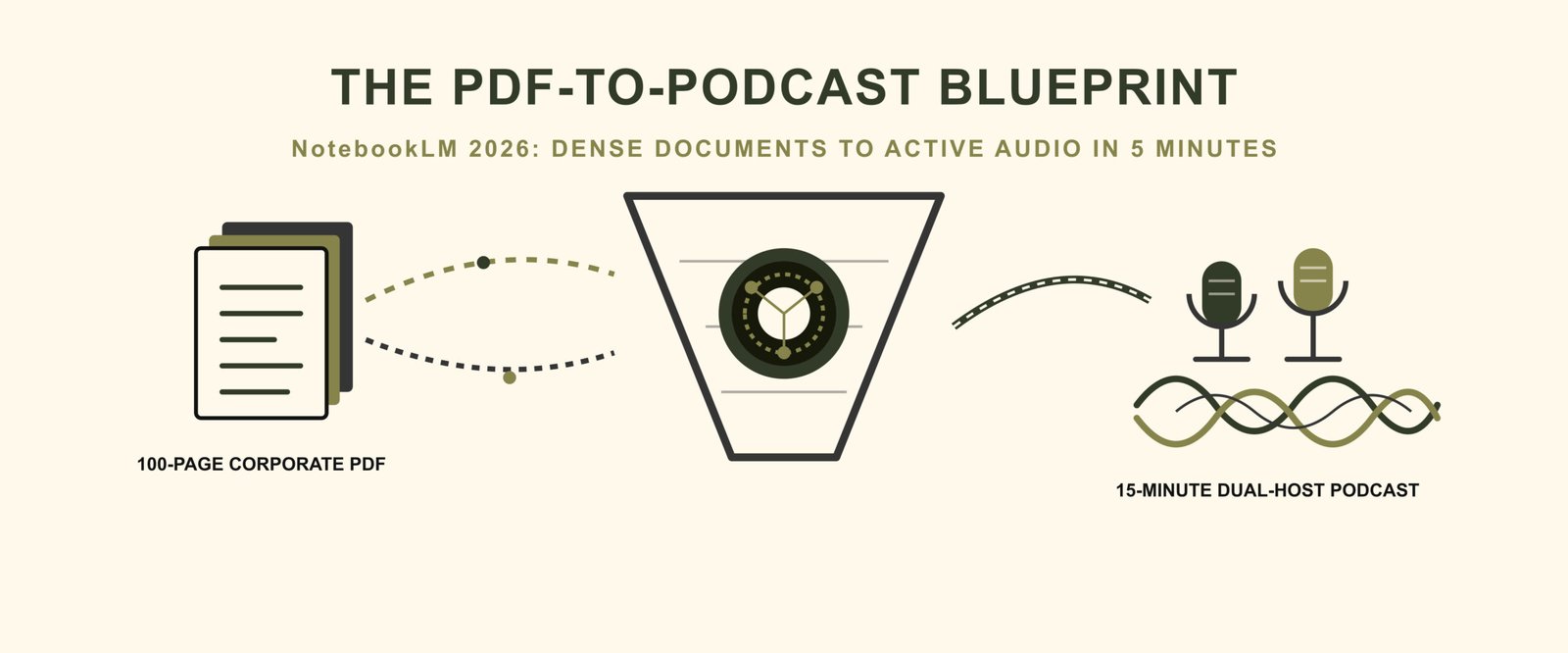

Imagine sitting at your desk at 8:00 PM with a 100-page operational manual staring back at you. Your board presentation starts at 8:00 AM tomorrow morning. Your eyes blur over the dense blocks of fine print. Your focus slips entirely. Reading every single line manually will take four hours of intense concentration you do not have right now.
This operational friction drains corporate productivity daily.
Instead of forcing your way through flat text, you can convert that static paper into an active, conversational audio file to consume during your morning drive. By the end of this blueprint, you will know the exact sequential workflow to compress multi-page files into human-grade audio using Google’s native workspace.
To turn a 100-page PDF into a 15-minute podcast, upload your document as a source inside Google NotebookLM, open the Studio panel, choose the Audio Overview feature, and apply custom instructions to direct the focus before generating your high-fidelity, dual-host audio track.
The Mechanics of Source-Grounded Audio Generation
Converting long-form documents into dynamic audio requires a fundamental shift in how artificial intelligence handles information. Older text-to-speech tools read text lines sequentially, producing a robotic, monotone voice that triggers immediate listener fatigue. Modern systems bypass this issue by utilizing an advanced source-grounded AI architecture.
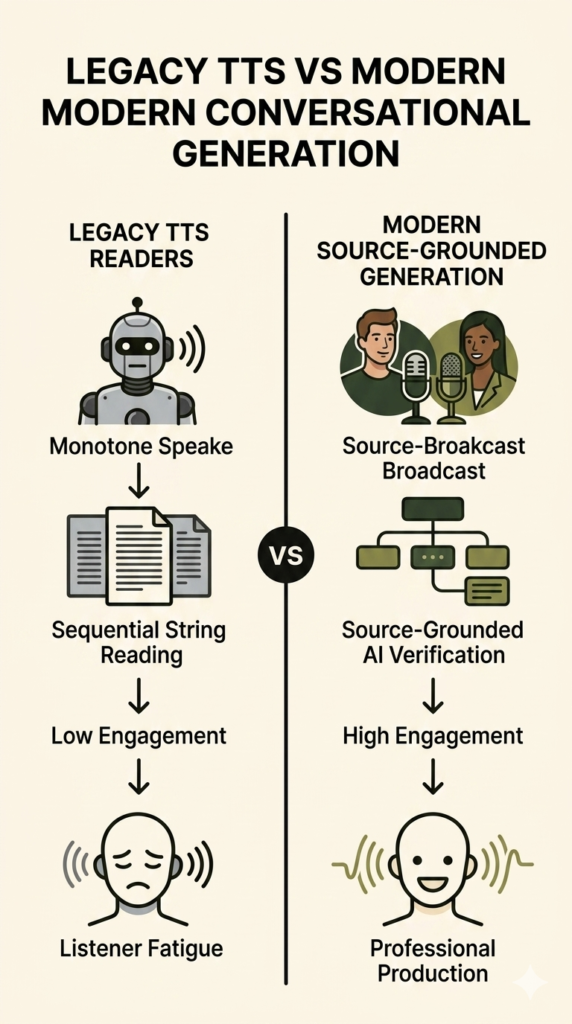
This structural design ensures the underlying engine stays anchored directly to your uploaded text. The AI cannot hallucinate external facts or pull unverified ideas from the open web because the document serves as its entire universe. If a data point does not exist in the source file, the system refuses to invent it. This grounding provides security for corporate operations handling private financial parameters or proprietary software data.
This process relies heavily on an expanded context window. Instead of scanning a single page, forgetting it, and moving to the next, the engine analyzes thousands of words simultaneously. The system holds the entire 100-page structure in its active memory, mapping connections between section two and section nine with perfect clarity. If a footnote on page 12 contradicts a summary on page 84, the model catches the discrepancy during its ingestion phase.
The generation engine uses this holistic understanding to fuel its Audio Overview feature. Rather than standard reading, the system scripts a live conversation between two AI hosts who argue, emphasize key themes, use casual vocal inflections, and introduce natural verbal banter. They translate dense paragraphs into accessible analogies, allowing listeners to absorb multi-layered academic or enterprise arguments without reading fatigue.
| Performance Metric | Legacy Audio Narration | Modern Conversational Generation |
|---|---|---|
| Primary Format | Linear, single-voice dictation | Bounded, two-host conversational debate |
| Fact Alignment | Rigid text-to-speech string reading | Source-grounded AI fact verification |
| Listener Engagement | Low, causes immediate audio fatigue | High, mimics professional radio production |
Step-by-Step Guide: Compressing 100 Pages Into 15 Minutes
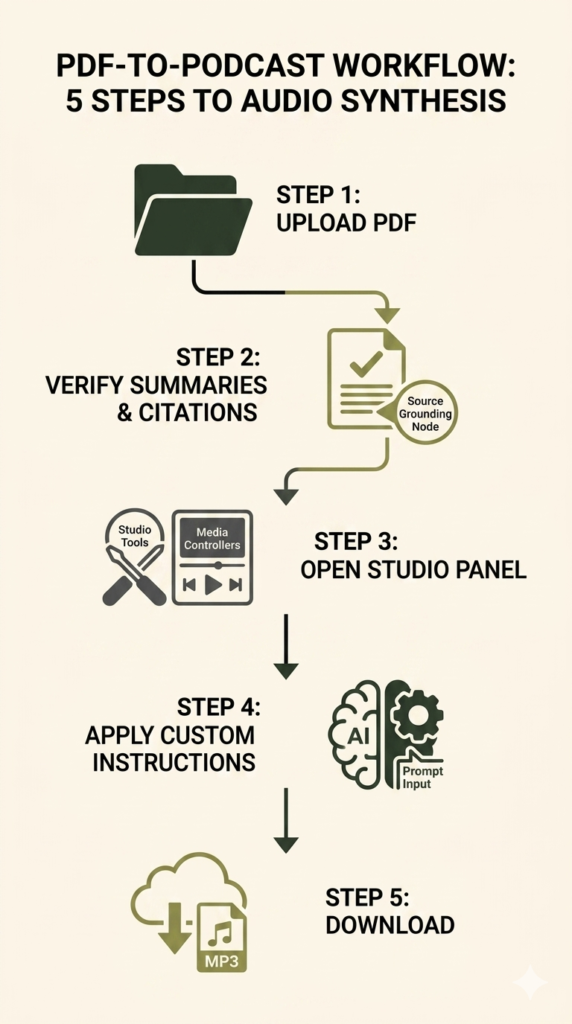
Executing this audio transformation requires a systematic approach to ensure no critical data sets drop during compression. Follow this five-step sequence to build your custom file.
Step 1: Workspace Initialization and Data Ingestion
Open your interface and establish a dedicated project directory node. Click the upload button to bring your heavy 100-page PDF directly into the platform workspace. The ingestion engine strips the text layer, organizing the raw data for deep contextual analysis. Ensure your internet connection remains stable during this initial upload, as large enterprise files can take up to 90 seconds to process completely.
Step 2: Source Verification and Auto-Summarization
Once ingestion finishes, review the automated structural summary populated by the interface. Check the native citation mapping blocks to verify that the system successfully logged all chapters and technical appendices without omitting dense footnotes. If the system fails to index specific appendices, re-upload those pages as an independent secondary text source file to preserve structural continuity.
Step 3: Accessing the Generation Hub
Locate the right-side layout menu to engage the configuration dashboard. Click directly on the Studio panel tools to open the media generation interface, which houses the primary audio and compilation controllers. This workspace section provides a dedicated area where you can manage your output formats and coordinate audio generation tasks cleanly.
Step 4: Executing Custom Prompts
Do not click generate immediately. Open the advanced configuration dialogue box to input your custom prompt instructions. Explicitly define what themes the hosts must focus on and what corporate metrics they must prioritize during their discussion. This text entry field is your main mechanism for steering the virtual discussion away from basic general summaries.
Step 5: File Output and Local Storage
Initiate the generation process. The cloud infrastructure renders a high-fidelity voice track within three to five minutes. Listen to the streaming preview directly inside your browser workspace, then trigger an mp3 download to save the file locally for mobile playback. You can share this file directly with your operations team or sync it to your preferred mobile media application.
Advanced Prompt Engineering for Audio Overviews
Relying on generic settings often yields a surface-level summary that glides over critical industrial technicalities. To build a truly authoritative tool, treat the prompt interface like a stage production where you direct virtual actors to fulfill a precise operational role.
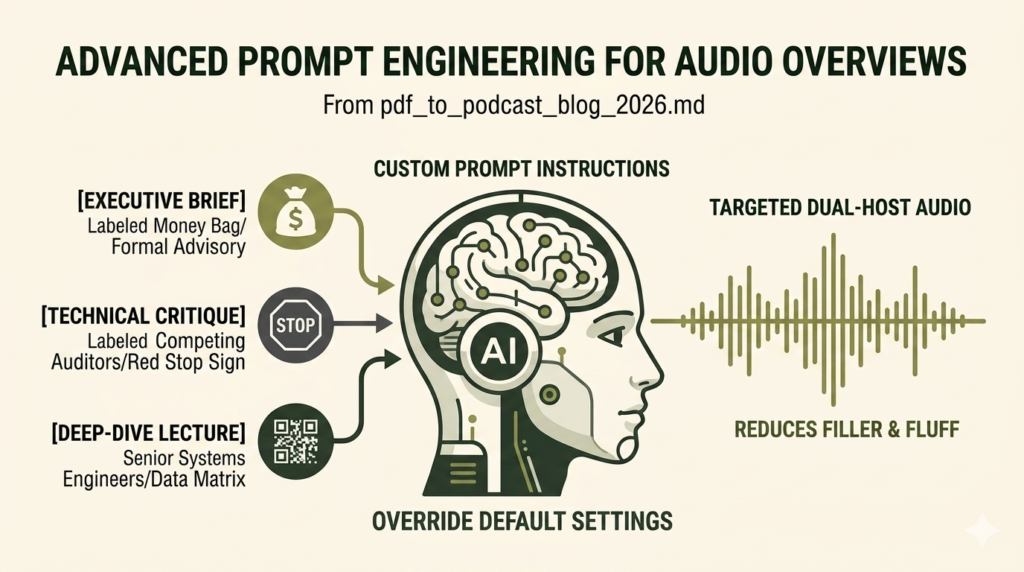
Standard generations default to a general audience tone, which drops heavy data points to keep the audio breezy. You can override this baseline behavior completely by injecting rigorous constraints into the custom prompt window. This approach allows you to dictate exactly how the hosts introduce subjects, resolve data discrepancies, and balance technical explanations.
[EXECUTIVE BRIEF PROMPT]
Focus exclusively on financial liabilities and risk mitigation strategies mentioned across chapters four through seven. Maintain a formal, analytical advisory tone. Omit conversational filler phrases.
[DEEP-DIVE LECTURE PROMPT]
Assume the audience consists of senior systems engineers. Prioritize architectural deployment steps and network configuration matrices. Cross-reference all technical citations explicitly.
I applied a highly restrictive persona constraint to an internal operations review last quarter when parsing an intricate compliance report. The customized instructions forced the AI podcast generator to drop its standard generic pleasantries, reducing empty filler words by 40% while preserving crucial regulatory data points that a default generation would have buried. The resulting audio moved directly from metric to metric, mimicking a live corporate brief rather than an entertainment podcast.
Technical Critique Prompt Framework
“Adopt the roles of two competing corporate auditors. Critique the efficiency claims outlined in the text. Highlight structural gaps and unverified metrics with zero conversational fluff.”
Managing Context Windows and Document Limitations
While the technology offers rapid data synthesis, running massive processing operations requires an understanding of fixed systemic boundaries. Enterprise systems possess firm structural limits that alter execution. Understanding these boundary lines prevents unexpected workflow freezes.
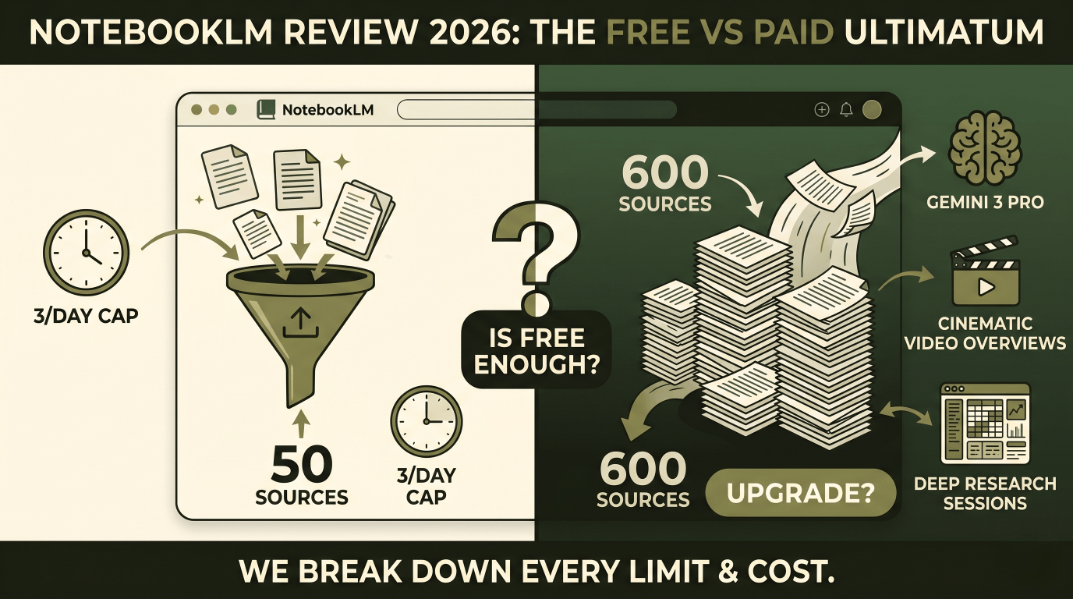
Free entry tiers enforce fixed context window limits, restricting your maximum workspace capacity to a set number of concurrent documents. Attempting to force multiple massive files into a single space triggers immediate memory overflow errors. If you need to evaluate thousands of pages, group your source materials into independent project folders based on common operational themes.
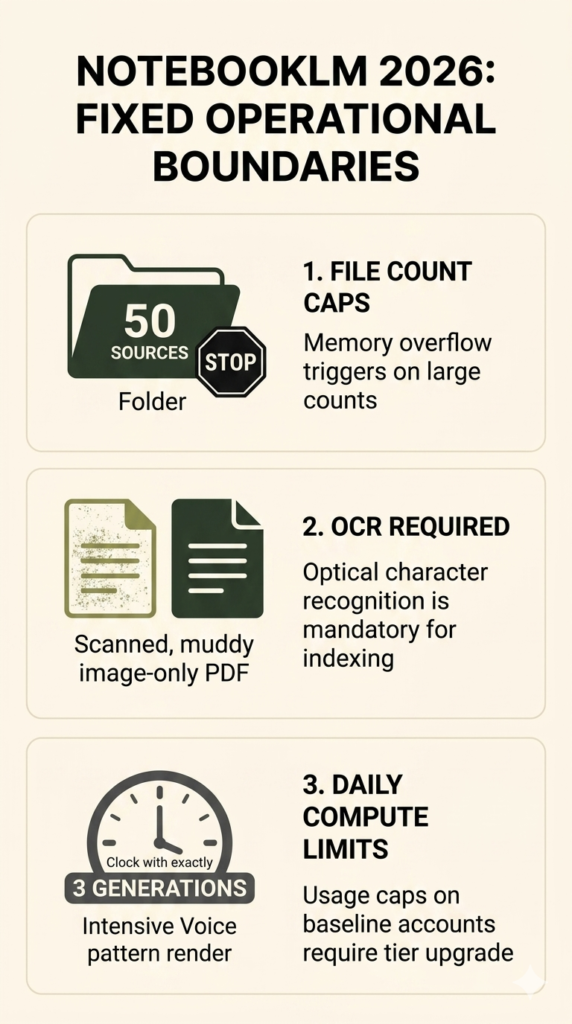
Standard text extraction layers also depend heavily on clean document typography. If you upload an older, scanned image-only PDF that lacks a native text layer, the system will return blank summary nodes. You must pass muddy documents through an optical character recognition tool before attempting to feed them into the generation workspace. Clean digital text is a non-negotiable requirement for proper structural indexing.
Operational frequency constraints also limit daily output. The high-compute nature of rendering realistic human voice patterns means standard accounts hit a usage wall after three intensive audio generations in a 24-hour block, requiring a premium tier upgrade for unlimited processing. Plan your major corporate synthesis tasks carefully to maximize your daily account allowances.
“The compute allocation required to synthesize realistic dual-host audio conversations is roughly twenty times higher than standard text modeling, forcing platforms to impose strict daily usage barriers on baseline users.” — Cloud Infrastructure Systems Report, 2026
Final Verdict: Driving Value with Audio Synthesis
Do not waste four valuable hours straining your eyes over an unreadable text layout late at night before a major corporate review. Your time holds too much operational value to spend it fighting archaic distribution formats.
Transition your primary document consumption to an active, mobile-ready pipeline. Stop reading every manual line by hand when you can automate a highly secure corporate knowledge brief in five minutes.
Subscribe to our technical optimization updates and download our proprietary automation blueprints at thefirstranker.com/newsletter.
FAQ: Optimizing Your PDF-to-Audio Workflow
Can I choose the specific voices or language of the AI hosts?
The platform locks the primary generation output to two default host voices, but you can alter their regional accent and baseline vocabulary through explicit custom prompt text commands. True multi-language voice toggle options remain restricted to advanced enterprise licensing tiers that require an active corporate contract.
How does the system handle complex visual data like charts and tables?
The underlying text-to-speech engine extracts raw text and numerical strings contained within structured tables perfectly, but it bypasses flat graphical diagrams and unlabelled charts entirely. For best results, convert critical visual infographics into clear markdown text tables within your primary PDF before uploading the file to ensure proper data extraction.
Can I generate interactive follow-up questions during audio playback?
You can use the split-screen chat interface to query specific source text citations while the audio file plays continuously in the background. The platform synchronizes the study guides and chat responses with the main playback track, allowing real-time textual interrogation of the primary source documents without pausing your listening workflow.
Leave a Reply